Forecast Review
Admin review workflow for promoting versions live and managing budget reference sets.
Forecast Review is the governance workspace for forecast approval. It is designed for admin users and sits between builder work and official live/budget references.
Access
- Route:
/forecast-review - Visibility: Admin only
Non-admin users cannot access this page.
What Forecast Review Does
Forecast Review provides three key capabilities:
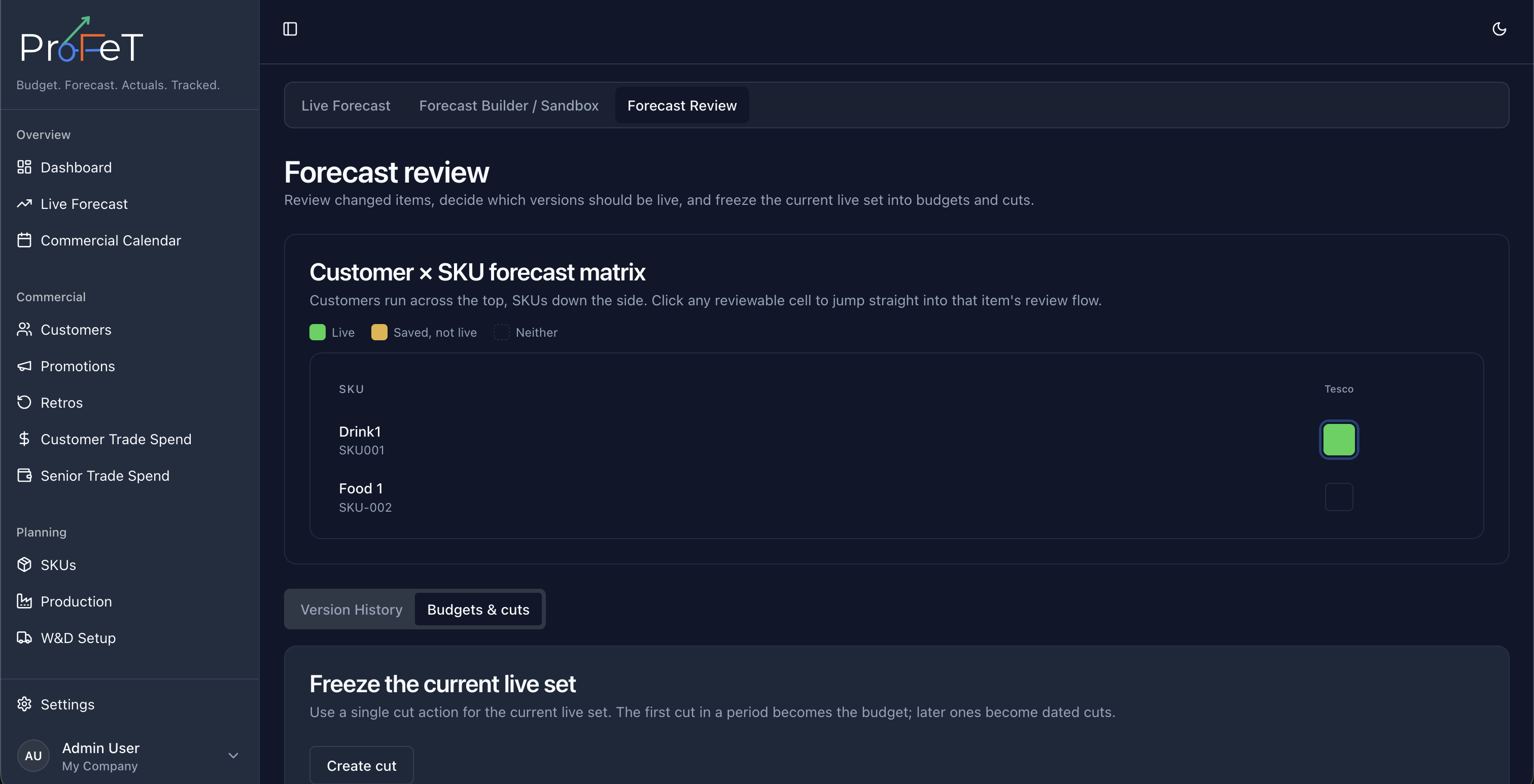
- Review coverage and change status across the customer × SKU matrix
- Promote specific saved versions to live
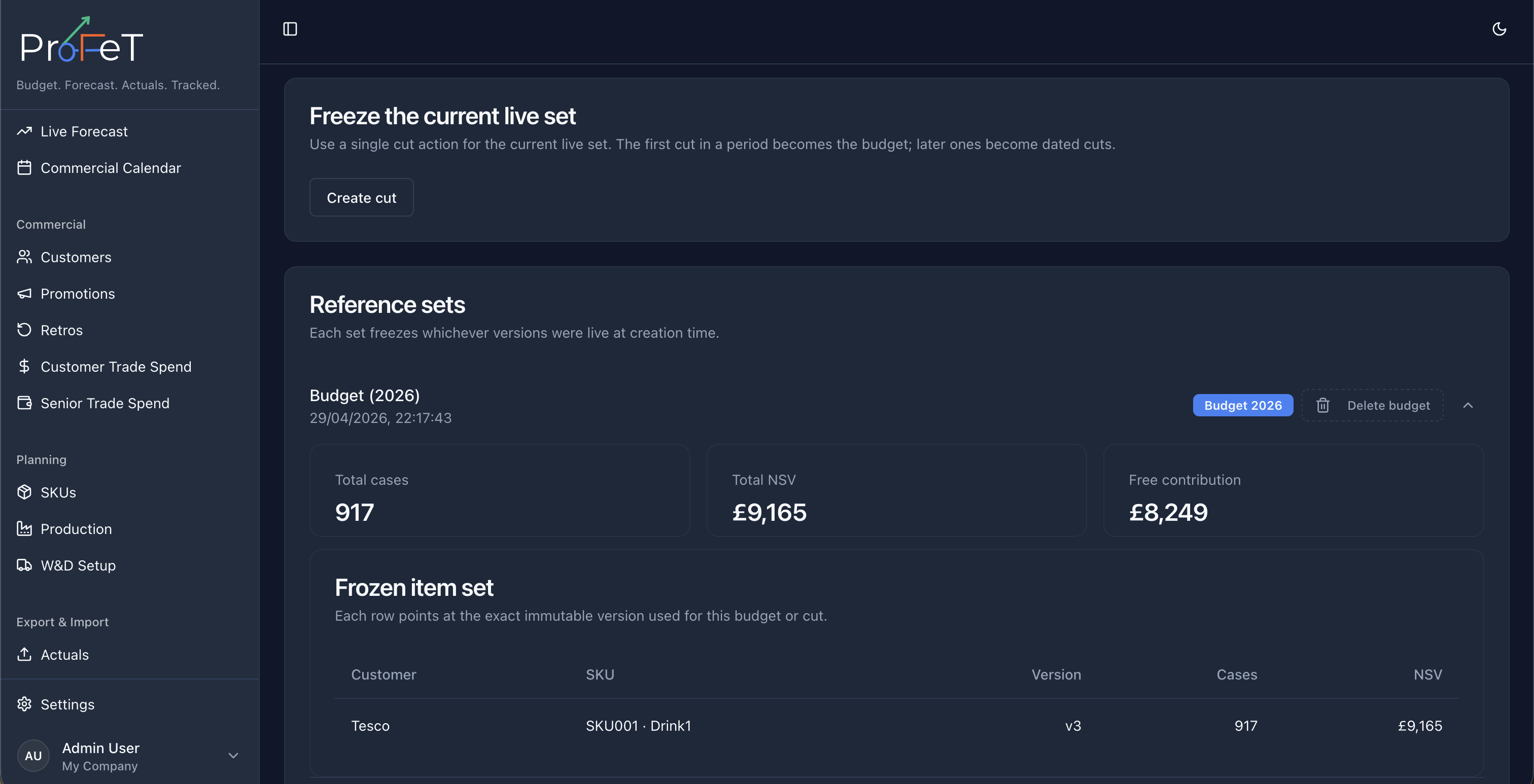
- Manage reference sets (including budget cuts)
Review Items
Review Items are the customer × SKU forecasts that require an approval decision before becoming the published live plan.
In Forecast Review, reviewers can work through these items by:
- Selecting an item from the matrix
- Checking change state (live vs saved vs missing)
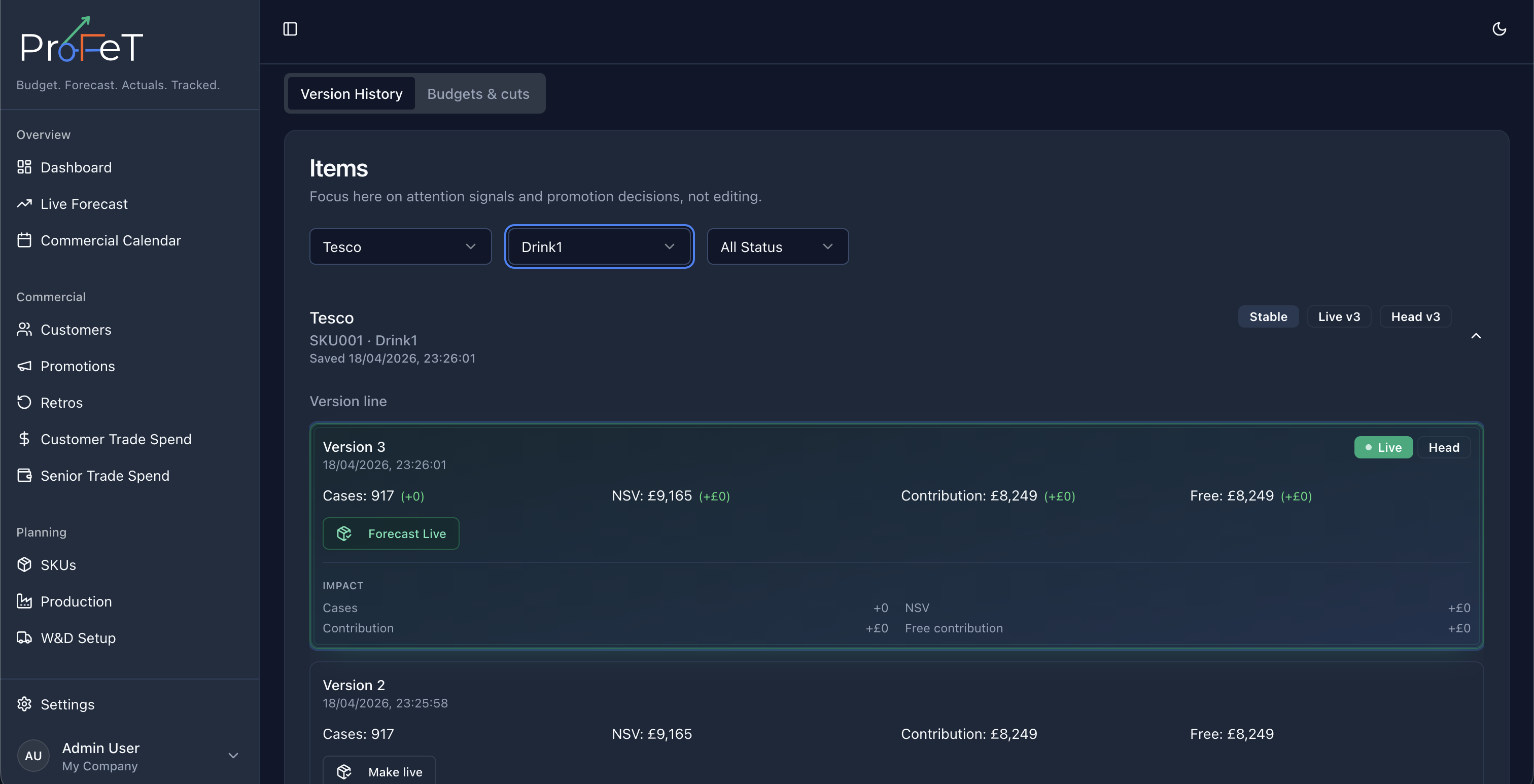
- Opening item detail and version history
- Comparing current saved output against live context
- Promoting the approved version to live
This keeps review decisions in one place and avoids mixing governance actions into analysis pages.
Customer × SKU Forecast Matrix
The top matrix gives a tenant-wide coverage view:
- Live cell: customer × SKU has a live version
- Saved, not live cell: has a saved head version but not live
- Neither cell: no saved/live forecast available
This helps identify gaps quickly and lets reviewers jump directly into a selected item.
Item Review Detail
For a selected customer × SKU, reviewers can:
- Inspect version history
- Compare deltas and metric changes
- Validate assumptions and outputs before promotion
Live Promotion Flow
Reviewers decide which version becomes live for each item.
Typical flow:
- Builder creates/updates versions in Forecast Builder
- Reviewer opens Forecast Review
- Reviewer validates and promotes selected version live
- Live Forecast and Dashboard reflect updated live state
Reference Sets and Budget Cuts
Forecast Review includes reference-set management for governance milestones.
Use cases include:
- Creating a named cut for planning checkpoints
- Marking a reference as a budget baseline
- Reviewing existing cuts and deleting stale ones when required
This is where budget baselines are controlled for platform comparisons.
How It Connects to Other Pages
| Page | Role |
|---|---|
| Forecast Builder | Create and iterate customer × SKU forecast versions |
| Live Forecast | Analyze currently live published forecast data |
| Dashboard | Compare live/budget/actual outcomes |
Forecast Review Screens