SKUs
Configure your product catalogue — pricing, packaging, logistics, and production options.
SKUs (Stock Keeping Units) are your products. Every forecast, sale, and production batch in ProFeT is linked to a SKU record. The SKU master data drives pricing, cost, and logistics calculations across the platform.
SKU List
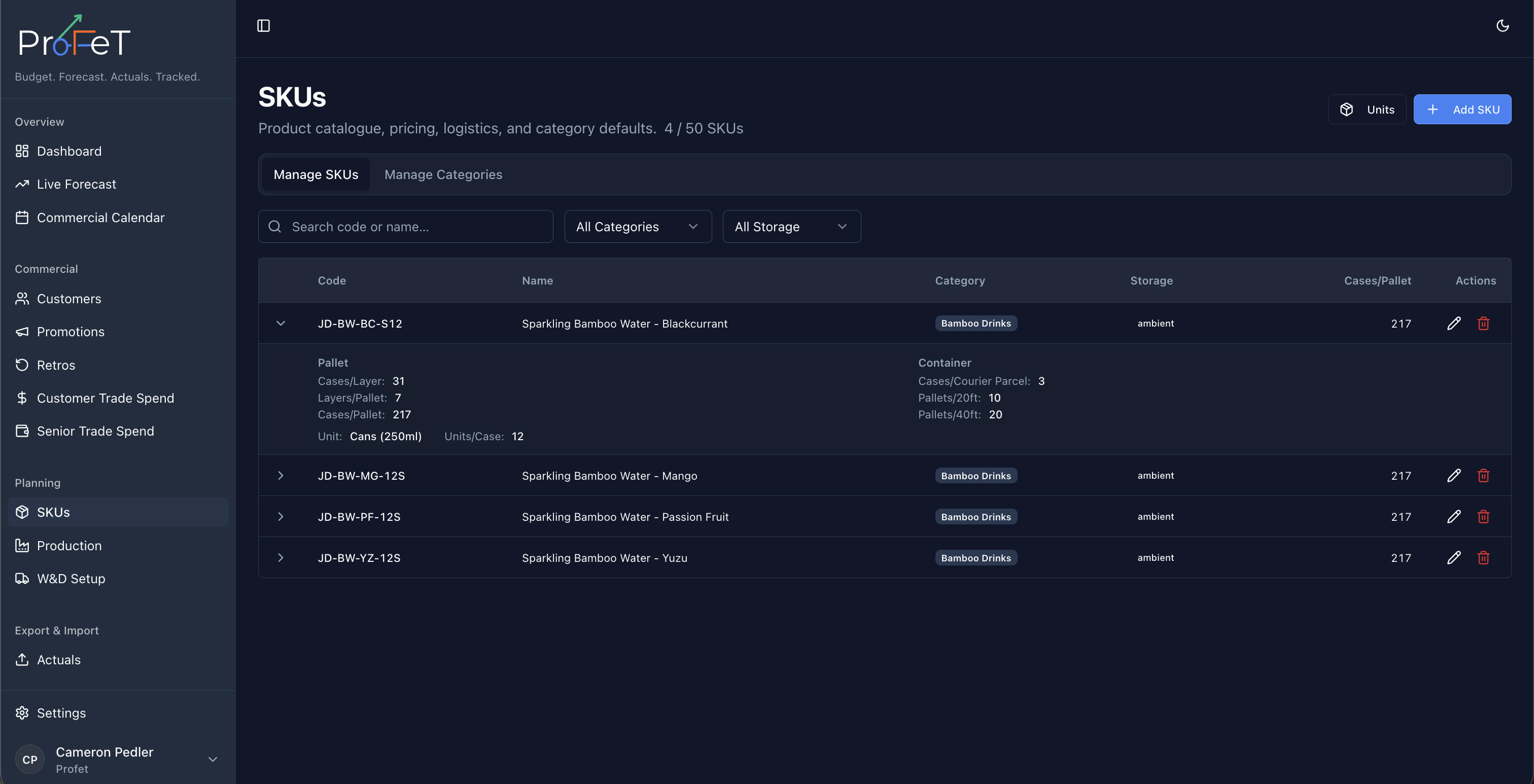
Navigate to Planning → SKUs to see your product catalogue. The list shows each SKU’s code, name, category, and key metrics. Use search and filters to find specific products.
Creating a SKU
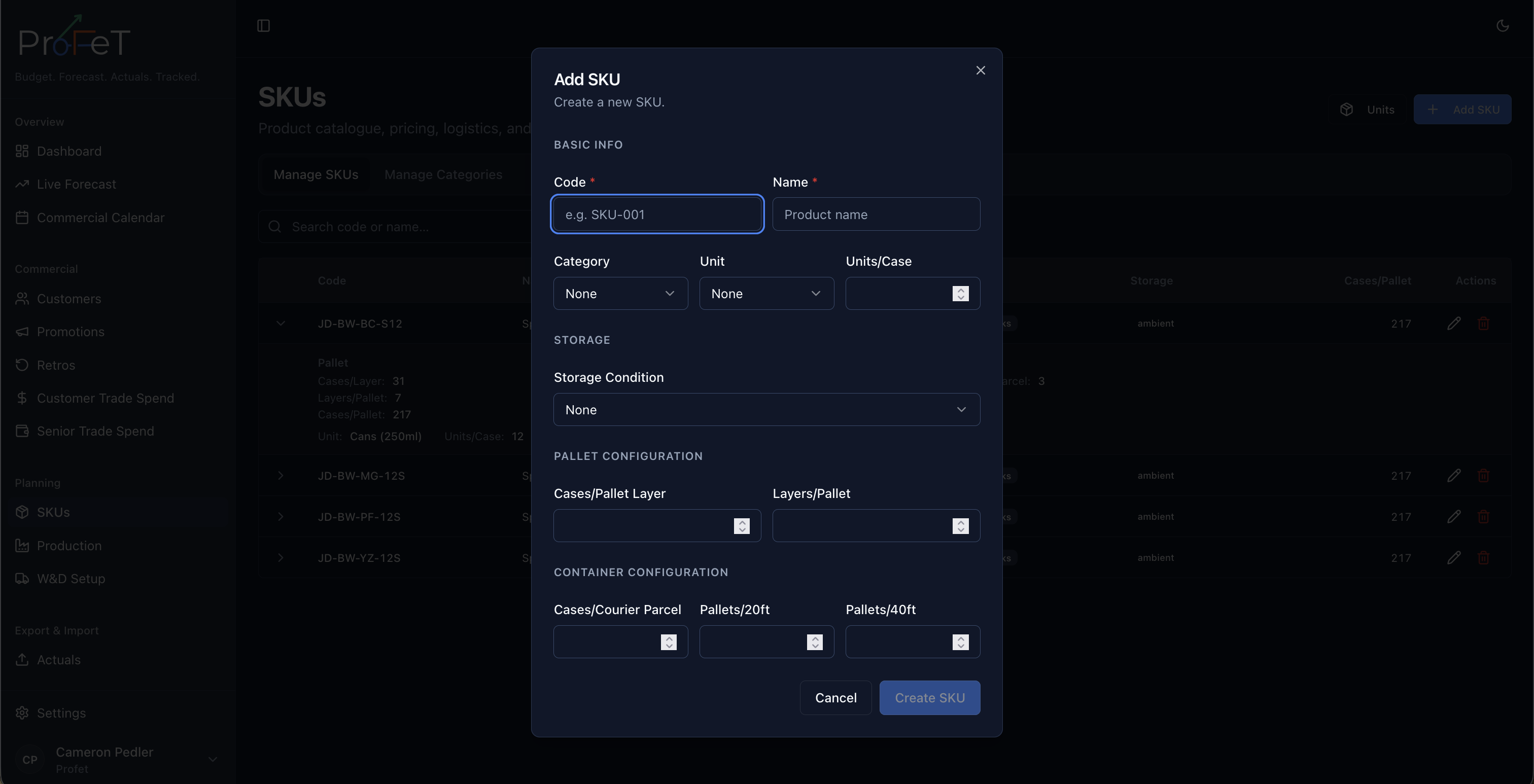
Click Add SKU and configure:
Basic Information
| Field | Description |
|---|---|
| Code | Unique product code (e.g. SKU-001) |
| Name | Product name as it appears throughout ProFeT |
| Category | Product category (e.g. Bars, Drinks, Snacks) — configured in tenant settings |
| Unit | Unit of measure (e.g. Case, Pack) |
Pricing & Costs
| Field | Description |
|---|---|
| Default Price per Case | Base selling price — used in GSV calculations unless overridden at the customer level |
| Storage Condition | Ambient, Refrigerated, or Frozen — affects W&D rate card pricing |
| Sell-by Days | Shelf life in days — used in production planning for shelf-life risk calculations |
| Safety Stock | Buffer inventory level — used in production planning to trigger replenishment |
Packaging & Logistics
These fields define how the product is packed and shipped. They’re used in MOQ calculations and logistics costing:
| Field | Description |
|---|---|
| Cases per Pallet Layer | How many cases fit on one pallet layer |
| Layers per Pallet | How many layers per full pallet |
| Cases per Courier Parcel | How many cases fit in a courier package |
| Pallets per 20ft Container | How many pallets fit in a 20ft shipping container |
| Pallets per 40ft Container | How many pallets fit in a 40ft shipping container |
These values feed into the W&D Setup calculations and determine the MOQ options available for each fulfilment method.
Production Options
Each SKU can have multiple production options — predefined batch sizes with associated costs. These are used in Production Planning to recommend efficient run sizes.
| Field | Description |
|---|---|
| Quantity | Number of cases in this production batch size |
| Cost Total | Total cost of running this batch |
| Cost per Unit | Derived: Total ÷ Quantity |
| Sort Order | Priority ordering — recommended options appear first |
Example: A SKU might have:
- Small run: 500 cases at £2.50/unit (£1,250 total)
- Standard run: 2,000 cases at £1.80/unit (£3,600 total)
- Large run: 5,000 cases at £1.50/unit (£7,500 total)
Larger runs are cheaper per unit but tie up more capital and carry shelf-life risk.
Categories & Units
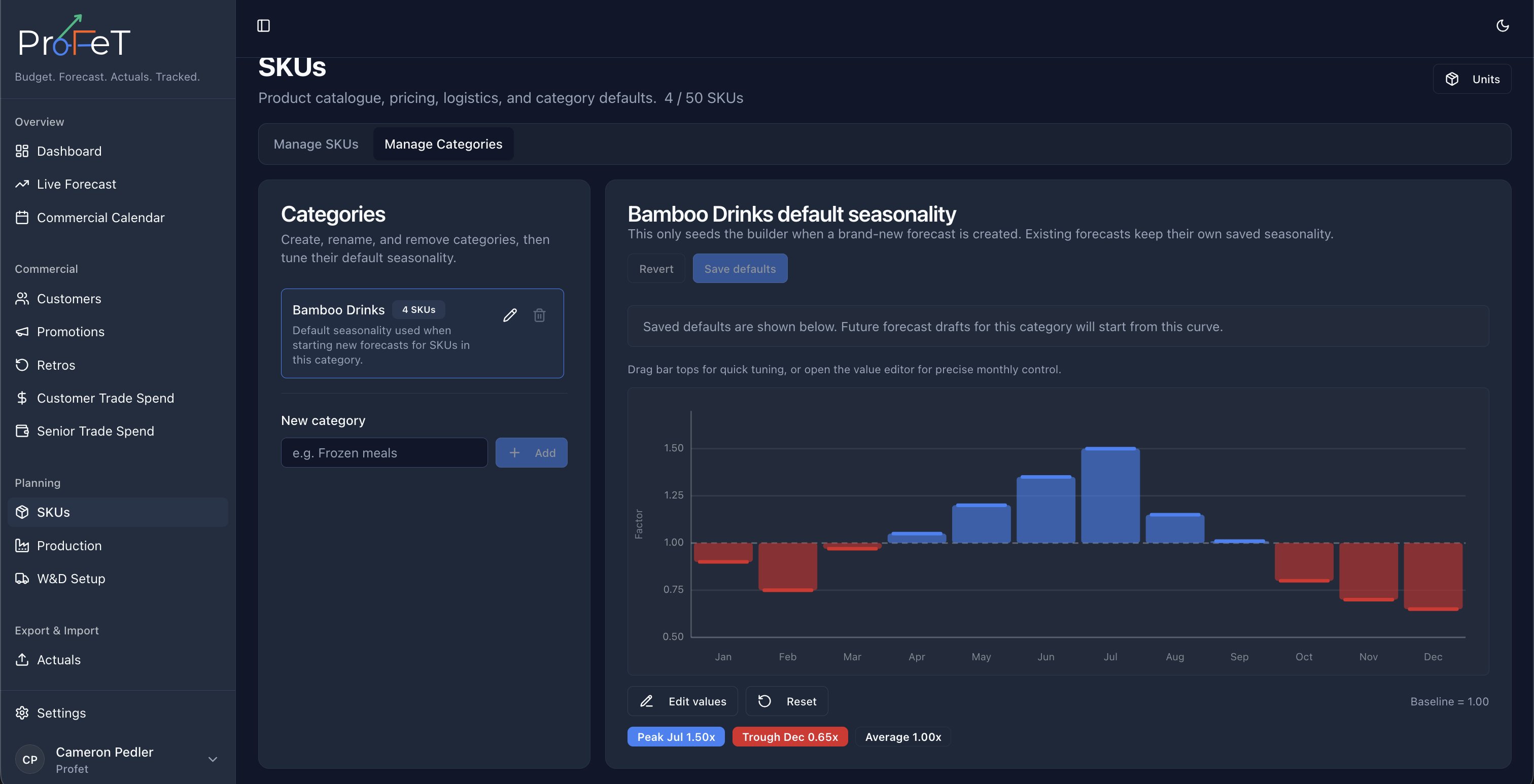
SKU categories and units are tenant-level lookup tables — configure them in Admin → Account Config. Categories are used for applying default seasonality patterns.
How SKUs Connect to Other Features
| Feature | How SKUs Are Used |
|---|---|
| Customers | SKUs are assigned to customers to enable forecasting |
| Forecast Builder | SKU pricing and costs drive the P&L calculation |
| Production Planning | Stock levels and production options are per-SKU |
| Promotions | Promotions target specific SKUs |
| Retros | Rebates target specific SKUs |
| Actuals | Sales are recorded against SKUs |
| W&D Setup | Storage condition and packaging affect distribution costs |
Tenant Limits
Your tenant may have a maximum number of SKUs configured. You can see your current usage on the SKU list page. Contact your administrator if you need the limit increased.
SKU Screens