W&D Setup
Configure works and distribution rate cards, zones, and fulfilment logistics.
Works & Distribution (W&D) covers the costs of getting your product to customers — warehousing, logistics, and delivery. The W&D Setup page is where you configure the rate cards and zones that drive these cost calculations across ProFeT.
How W&D Costs Work
W&D costs appear in two contexts:
-
Forecasting — Estimated W&D per case based on your rate cards and the customer’s fulfilment method. Feeds into the P&L on the Forecast Builder and Live Forecast.
-
Actuals — Actual W&D from invoices, recorded when you upload sales data. These are the real costs from your distributor, split proportionally across invoice line items based on quantity.
Zones
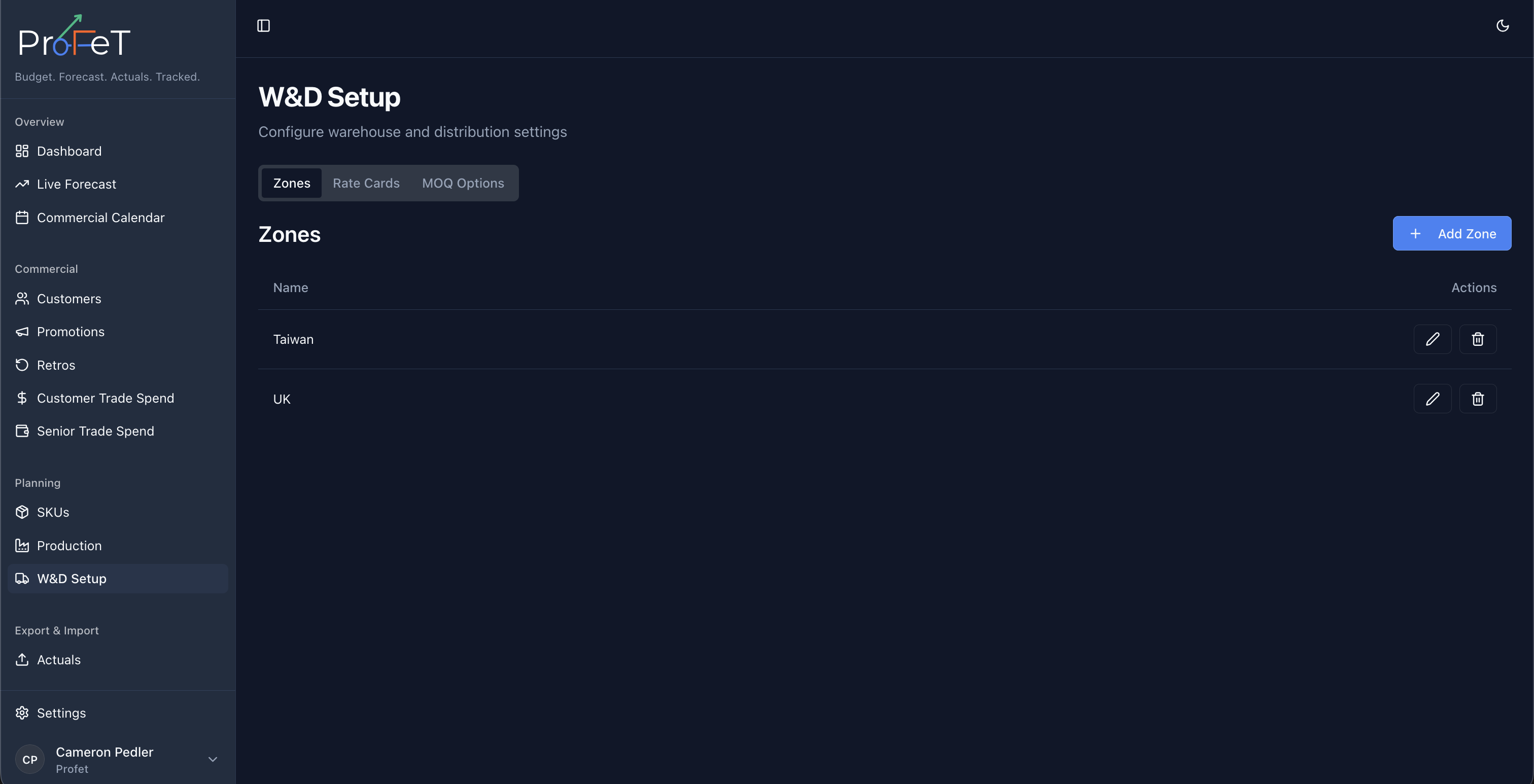
Zones represent geographic regions with different distribution costs. Common examples: UK Mainland, Scotland & Highlands, Northern Ireland, Europe, Rest of World.
Zones are used in pallet and container rate cards — delivery costs vary by distance.
Managing Zones
Navigate to Planning → W&D Setup and open the Zones section. Add, edit, or delete zones as needed. Each zone has a name and is scoped to your tenant.
Rate Cards
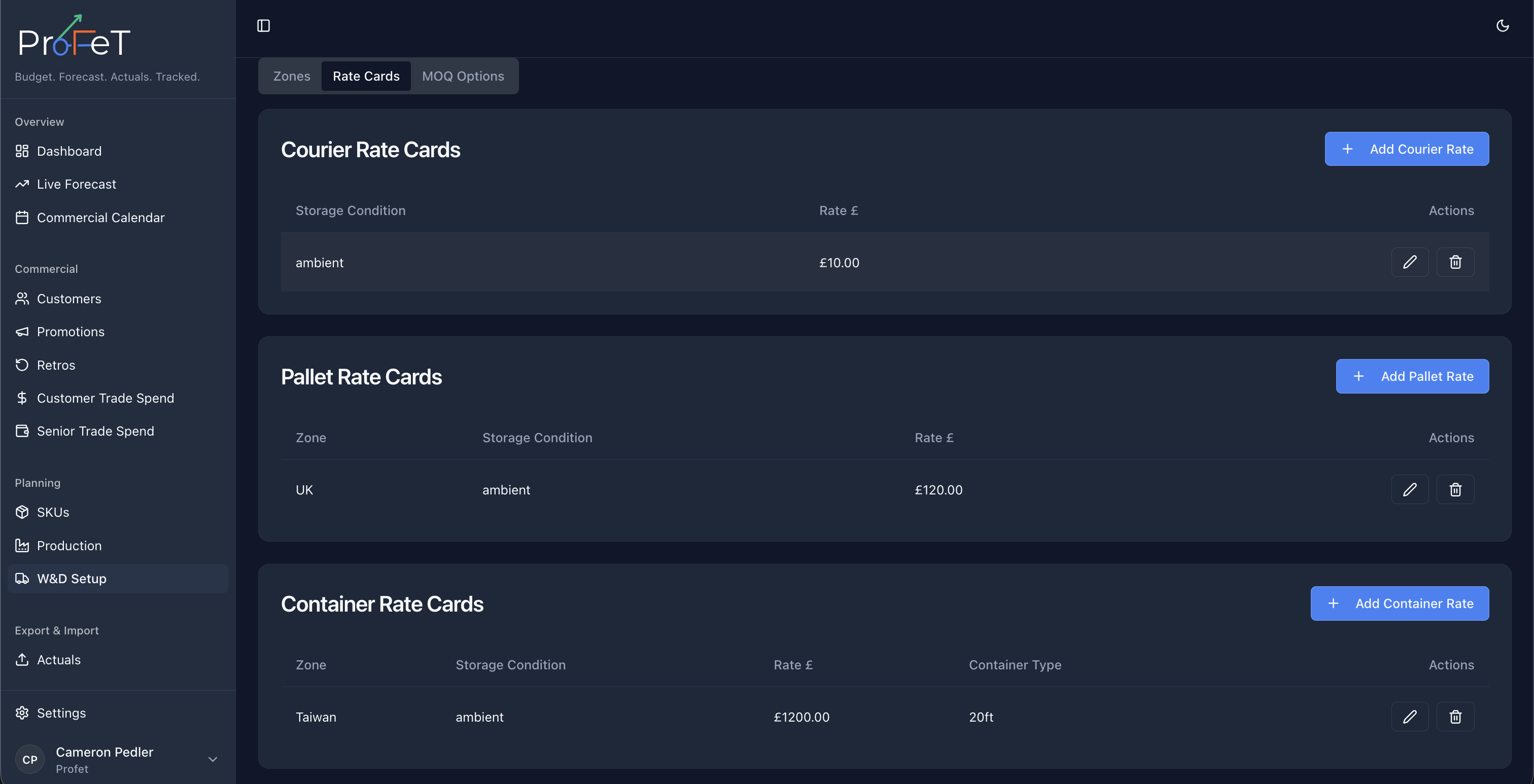
Rate cards define the per-unit distribution cost for each fulfilment method. ProFeT supports three types:
Courier Rate Card
For parcel-based delivery (typically D2C or small orders).
| Field | Description |
|---|---|
| Storage Condition | Ambient, Refrigerated, or Frozen |
| Rate per Parcel | Cost to ship one courier parcel |
Courier rates vary by storage condition because temperature-controlled shipping costs more.
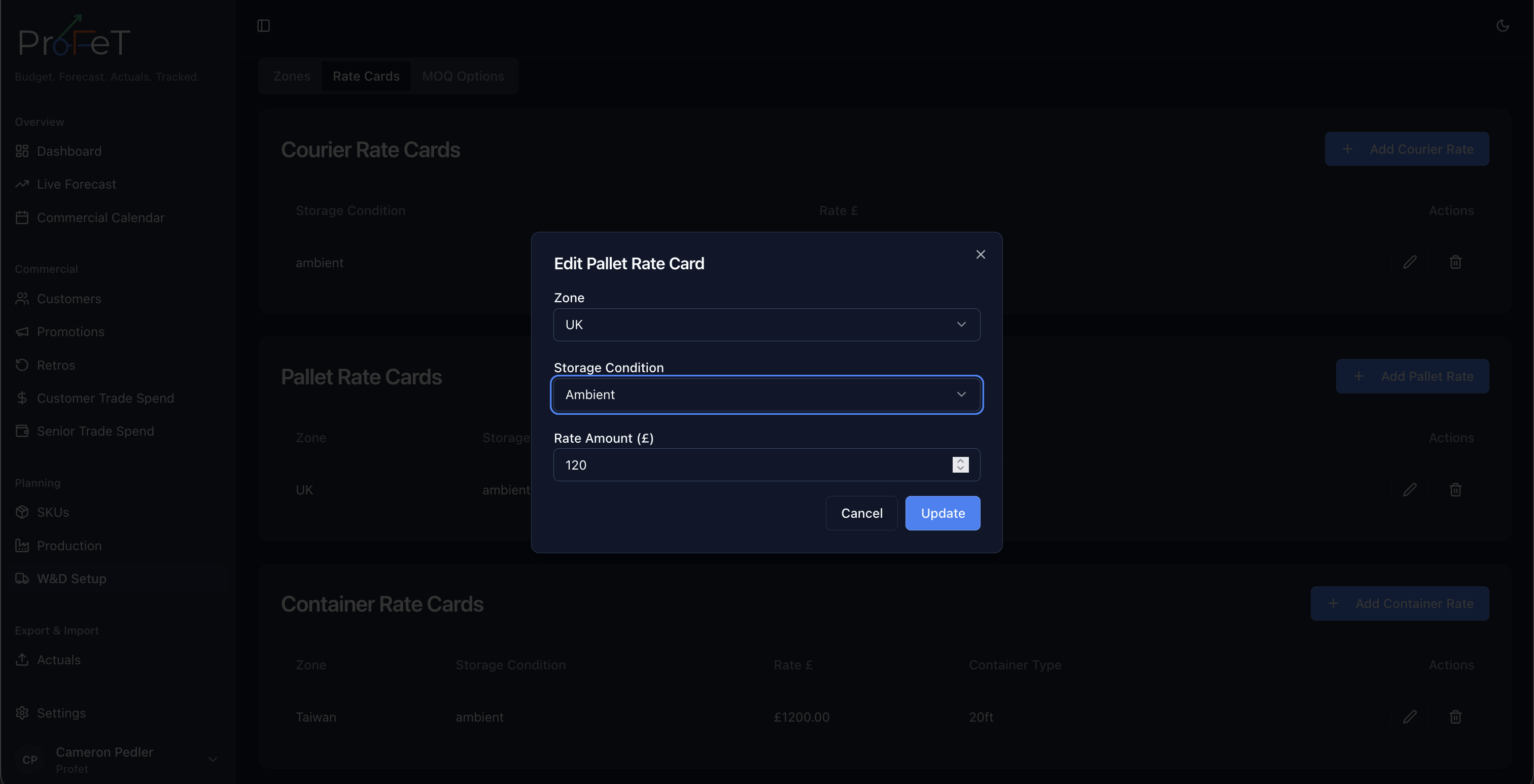
Pallet Rate Card
For palletised delivery (Direct-to-Trade, Wholesale).
| Field | Description |
|---|---|
| Zone | Which geographic zone |
| Storage Condition | Ambient, Refrigerated, or Frozen |
| Rate per Pallet | Cost to ship one pallet |
Pallet rates vary by both zone and storage condition.
Container Rate Card
For containerised shipping (Export).
| Field | Description |
|---|---|
| Zone | Which geographic zone |
| Storage Condition | Ambient, Refrigerated, or Frozen |
| Container Size | 20ft or 40ft |
| Rate per Container | Cost to ship one container |
Container rates vary by zone, storage condition, and container size.
How Rate Cards Connect to Customers
Each customer has a fulfilment method and a zone. These determine which rate card applies:
| Customer Config | Rate Card Used |
|---|---|
| Fulfilment: Courier | Courier rate card (by storage condition) |
| Fulfilment: Pallet, Zone: UK Mainland | Pallet rate card (UK Mainland × storage condition) |
| Fulfilment: Container, Zone: Europe | Container rate card (Europe × storage condition × size) |
The W&D per case is then calculated from the rate and the SKU’s packaging configuration (cases per parcel, cases per pallet, etc.).
W&D in Actuals
When uploading sales data via CSV, each invoice includes a total W&D amount. ProFeT splits this proportionally across line items based on quantity:
Line W&D = Invoice W&D Total × (Line Quantity ÷ Invoice Total Quantity)This ensures larger-volume items carry a proportionally larger share of distribution costs.
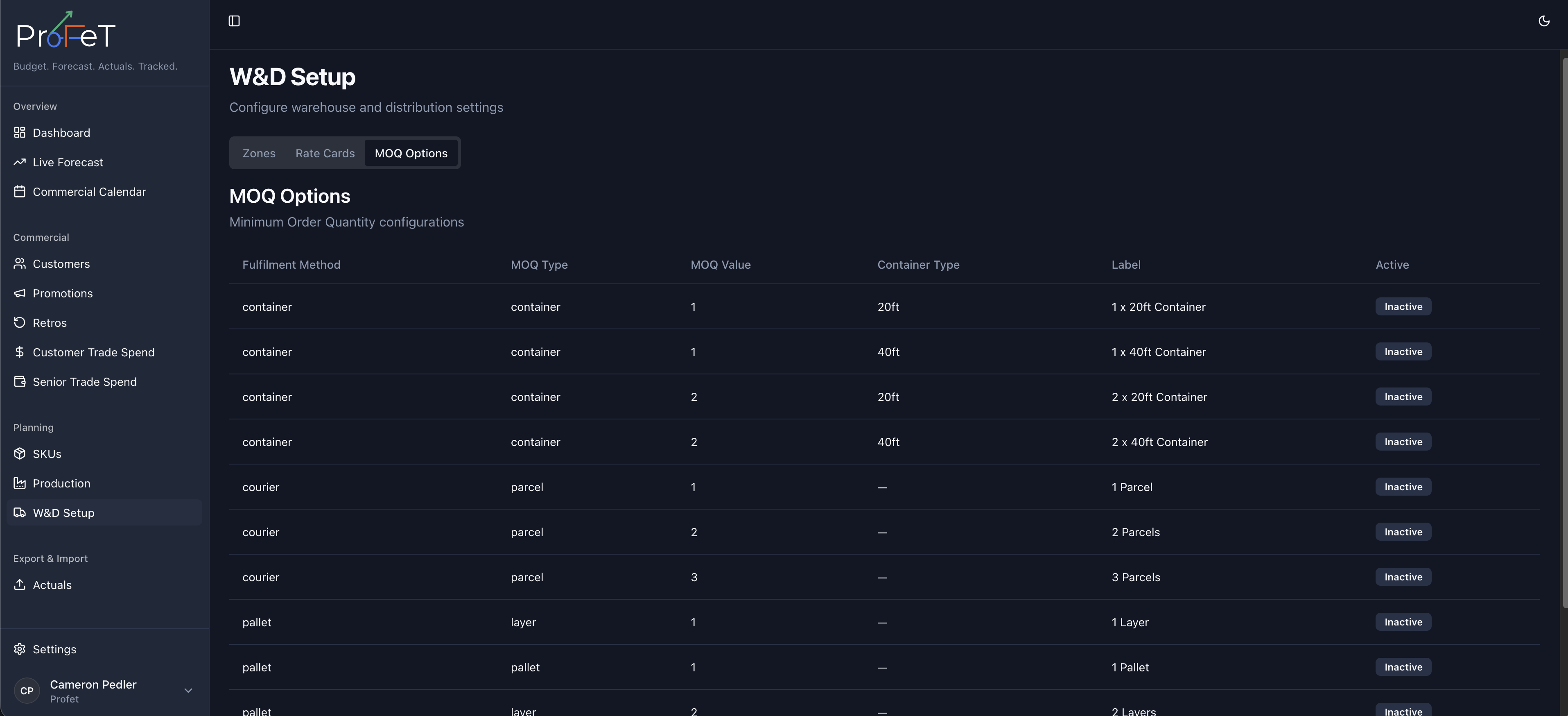
MOQ Options
Minimum order quantities are tied to fulfilment methods. Configure which MOQ levels are available:
| Fulfilment | MOQ Options |
|---|---|
| Courier | Per parcel |
| Pallet | Per layer, per full pallet |
| Container | Per 20ft container, per 40ft container |
MOQ settings determine the smallest order a customer can place and feed into the forecast calculation — volumes are rounded up to the nearest MOQ where applicable.
W&D Setup Screens